 Nicholai
4b0623c2a5
Nicholai
4b0623c2a5
- Add UI/UX refinements section to .cursorrules with message display, button layout, scrollbar, pill animations, and Create New button details
- Update CLAUDE.md with message display formatting and top button layout information
- Update README.md key features with polished UI and custom agents information
Multi-Agent Chat Interface
Beautiful, glass-morphism chat interface for interacting with multiple AI agents through n8n webhooks.
Cloudflare Workers • Real-time streaming • Mobile-first design
Quick Start »
Table of Contents
About
Multi-agent chat interface that enables users to select from configured AI agents and interact with them through n8n workflow webhooks. Built with Next.js 15 and deployed to Cloudflare Workers for global edge performance.
Screenshots
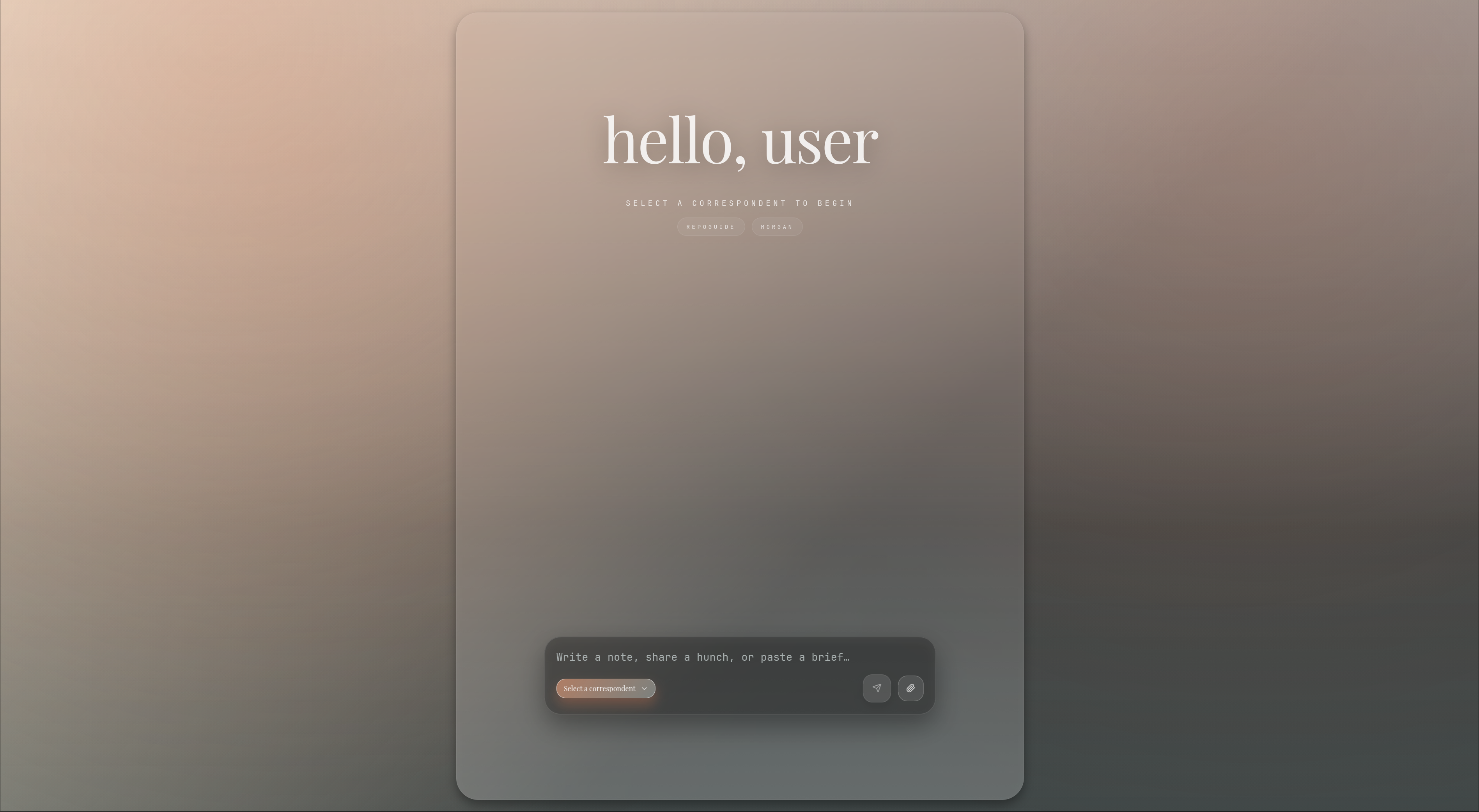
Desktop interface with glass-morphism design
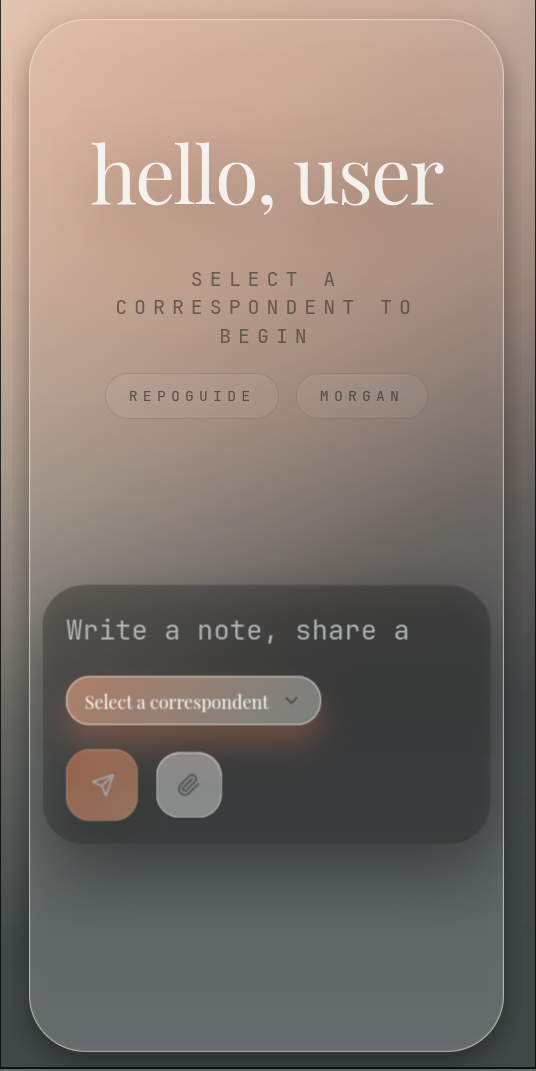
Mobile-optimized responsive layout
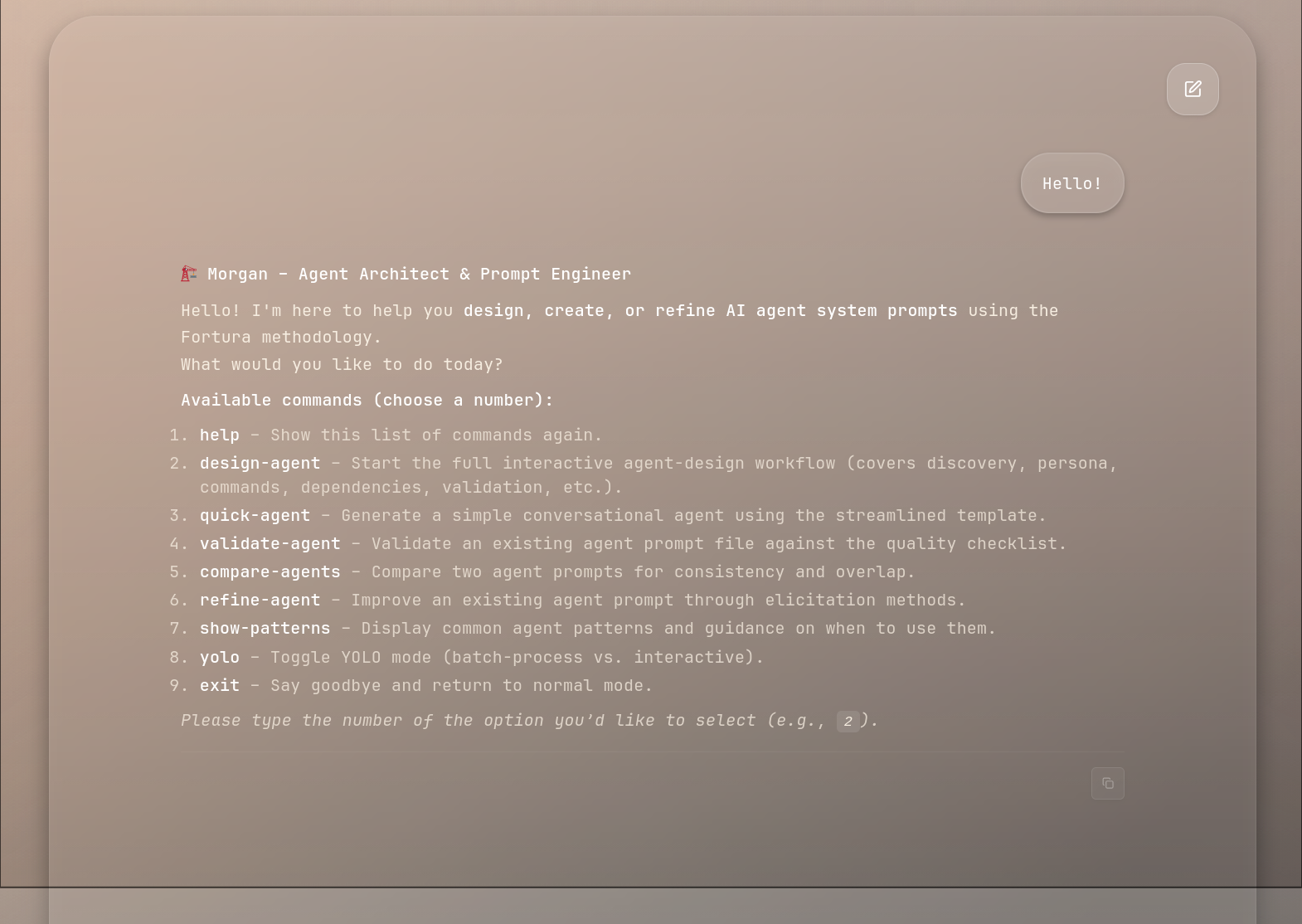
Chat interface with markdown rendering and syntax highlighting
Key Features
- Multi-agent support: Dynamically configured agents via environment variables
- Real-time streaming: Handles chunked responses from n8n workflows
- Image attachments: Base64 image upload support with feature flag control
- Diff visualization: Custom markdown renderer for side-by-side code diffs
- Session persistence: Agent-specific conversation history in localStorage
- Mobile-optimized: Glass-morphism design with mobile-first responsiveness
- Feature flags: Runtime-configurable features for controlled rollouts
- Polished UI: Message formatting with proper wrapping, smooth animations, and refined scrollbars
- Custom agents: Create and pin custom agents via Morgan (Agent Architect)
Tech Stack
- Framework: Next.js 15.5.4 (App Router) + TypeScript
- Runtime: Cloudflare Workers
- Adapter: @opennextjs/cloudflare 1.12.0
- Styling: Tailwind CSS 4.1.9 with custom glass-morphism design
- UI Components: Radix UI primitives
- Animations: Framer Motion 12
- Markdown: react-markdown with rehype-highlight for syntax highlighting
- Testing: Vitest 4 + Testing Library
- Package Manager: pnpm
Architecture
flowchart TD
  A[User Browser] -->|Chat Request| B[Next.js App Router]
  B -->|API /agents| C[Environment Config]
  B -->|API /chat| D[n8n Webhook]
  D -->|Streaming Response| B
  B -->|Rendered UI| A
  C -->|Agent Config| B
  B -->|Static Assets| E[Cloudflare CDN]

  style B fill:#667eea
  style D fill:#764ba2
  style E fill:#ffd700
Key Components
- Agent Discovery:
/api/agentsdynamically discovers agents from environment variables (AGENT_N_URL,AGENT_N_NAME,AGENT_N_DESCRIPTION) - Message Proxy:
/api/chatforwards user messages to the selected agent's n8n webhook with session tracking - Feature Flags: Runtime-configurable flags control image uploads and diff tool rendering
- Client State: Agent selection and conversation history persisted in browser localStorage
Feature Flags
The application supports runtime feature flags configured via environment variables:
| Flag | Default | Description |
|---|---|---|
IMAGE_UPLOADS_ENABLED |
true |
Enable/disable image attachment functionality |
DIFF_TOOL_ENABLED |
true |
Enable/disable advanced diff visualization |
Configure flags in wrangler.jsonc for production or .env.local for development.
Getting Started
Prerequisites
- Node.js 20 or higher
- pnpm package manager
- Cloudflare account with Wrangler CLI configured
- n8n instance with webhook URLs for your agents
Installation
-
Clone the repository
git clone <your-repo-url> cd multi-agent_chat_interface -
Install dependencies
pnpm install -
Configure environment variables
Create
.env.localfor local development:AGENT_1_URL=https://n8n.example.com/webhook/your-webhook-id AGENT_1_NAME=Your Agent Name AGENT_1_DESCRIPTION=Description of your agent IMAGE_UPLOADS_ENABLED=true DIFF_TOOL_ENABLED=trueFor production, update
wrangler.jsoncwith your agent configurations. -
Run the development server
pnpm devOpen http://localhost:3000 in your browser.
Environment Variables
Configure agents using numbered environment variables:
AGENT_N_URL- n8n webhook URL for agent NAGENT_N_NAME- Display name for agent NAGENT_N_DESCRIPTION- Optional description for agent N
Where N = 1, 2, 3, etc. The application will discover all configured agents automatically.
Development
Common Commands
| Command | Description |
|---|---|
pnpm dev |
Start Next.js development server at localhost:3000 |
pnpm build |
Build Next.js application |
pnpm lint |
Run ESLint checks |
pnpm test |
Run Vitest test suites |
pnpm test:ui |
Run tests with Vitest UI |
pnpm test:coverage |
Generate test coverage report |
Deployment
Deploy to Cloudflare Workers:
-
Build for Cloudflare
npx @opennextjs/cloudflare buildImportant: Always run this before deploying. Standard
next buildalone is insufficient. -
Deploy
npx wrangler deployOr for specific environment:
npx wrangler deploy --env production -
View logs
npx wrangler tail
See BUILD.md for detailed deployment instructions.
Testing
Tests are organized by domain in __tests__/:
lib/- Library and utility tests (flags, types, helpers)api/- API route tests (agents, chat endpoints)components/- React component testsflags/- Feature flag behavior tests
Running Tests
# Run all tests
pnpm test

# Run with UI
pnpm test:ui

# Generate coverage report
pnpm test:coverage
Test Patterns
- Feature flag tests verify behavior when flags are enabled/disabled
- API tests mock external webhook calls
- Component tests use Testing Library for React rendering
- All tests clean up environment and state between runs
Contact
Nicholai — @biohazardvfx — nicholai@biohazardvfx.com