# SpatialTrackerV3: 3D Point Tracking Made Easy
**[CAD&CG, Zhejiang University](https://github.com/zju3dv)**; **[University of Oxford](https://www.robots.ox.ac.uk/~vgg/)**; **[Ant Research](https://www.antresearch.com/)**; **[Pixelwise AI](http://pixelwise.ai/)**; **[ByteDance Seed](https://seed.bytedance.com/zh/)**
[Yuxi Xiao](https://henry123-boy.github.io/), [Jianyuan Wang](https://jytime.github.io/), [Nan Xue](https://xuenan.net/), [Nikita Karaev](https://nikitakaraevv.github.io/), [Iurii Makarov](https://linkedin.com/in/lvoursl), [Bingyi Kang](https://bingykang.github.io/), [Xin Zhu](https://openreview.net/profile?id=~Xing_Zhu2), [Hujun Bao](http://www.cad.zju.edu.cn/home/bao/), [Yujun Shen](https://shenyujun.github.io/), [Xiaowei Zhou](https://www.xzhou.me/)
### [Project Page]() | [BibTeX]() | [Goolge Drive]()



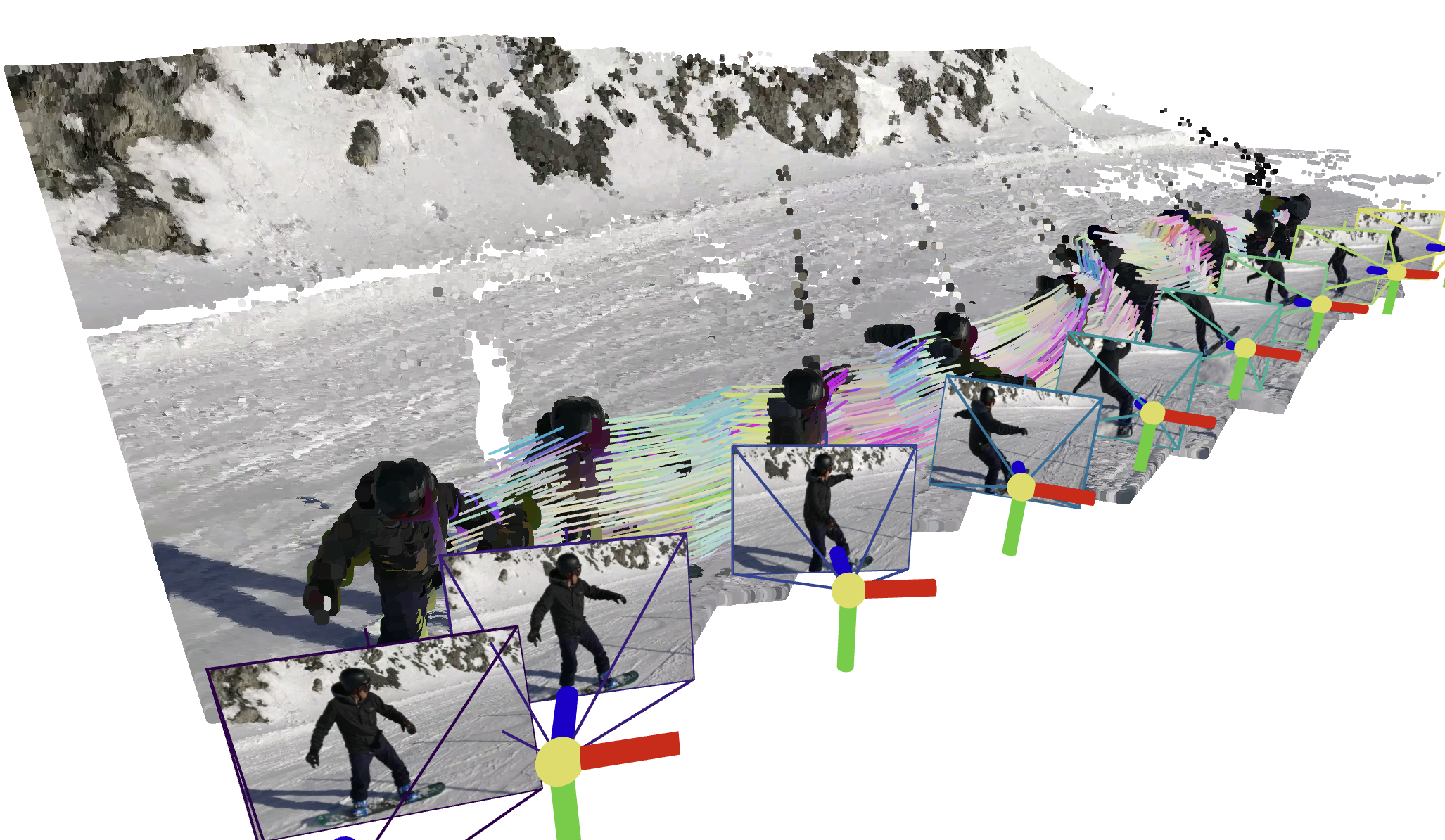 ## TODO List
1. **Release Offline Version**
- [x] `SpaTrack3` + `Moge` ➔ supports `unposed RGB` as input.
- [x] `SpaTrack3`+ `MegaSAM` ➔ supports `Posed RGBD` as input.
- [x] `SpaTrack3` + `VGGT` ➔ make `VGGT` works in `Dynamic Scenes`.
2. **Release Online Version**
- [ ] Sliding windows version.
3. **More Releases**
- [ ] Some `Ceres Python Bindings` designed for SpatialTracker and Dynamic Reconstruction.
- [ ] More supports for other Depth Model, *i.e.*, `DepthAnything`, `StereoFoundation`, `UniDepth`, `Metric3D`.
## Set up the environment
To set up the environment for running the SpaTrack model, follow these steps:
1. **Clone the Repository:**
```bash
git clone git@github.com:henry123-boy/SpaTrackerV3.git
cd SpaTrackerV3
```
2. **Create a Virtual Environment:**
It's recommended to use a virtual environment to manage dependencies.
```bash
conda create -n SpaTrack3 python=3.11
conda activate SpaTrack3
```
3. **Install Dependencies:**
Install the torch dependencies `pip` (tested with `torch2.4`).
```bash
python -m pip install torch==2.4.1 torchvision==0.19.1 torchaudio==2.4.1 --index-url https://download.pytorch.org/whl/cu124
```
Install the required Python packages using `pip`.
```bash
python -m pip install -r requirements.txt
```
4. **Install SpaTrack3 Visualizer:**
```bash
cd viser
python -m pip install -e .
```
By following these steps, you should have a working environment ready to run the SpaTrack model.
## Download the Checkpoints
```
mkdir -p checkpoints
```
Step1: Download the checkpoint of `Moge` from [here](https://github.com/microsoft/MoGe), and put the `model.pt` into `./checkpoints/`
Step2: Download the checkpoint of `SpaTrack3` from [GoolgeDrive](https://drive.google.com/drive/folders/1GYeC639gA23N_OiytGHXTUCSYrbM0pOo?usp=sharing), and place it into `./checkpoints/`
## Quick Start
We gave two examples to illustrate the usage of `SpaTrack3`. Firstly, please download `ckpts` and `examples` via:
```
sh scripts/download.sh
```
### Type1: Posed RGBD video *(Example0)*
We provide an example who has Posed RGBD input with [MegaSAM](https://github.com/mega-sam/mega-sam).
```
python inference.py --data_type="RGBD" --data_dir="assets/example0" --video_name="snowboard" --fps=1
```
### Type2: unposed RGB video *(Example1)*
```
python inference.py --data_type="RGB" --data_dir="assets/example1" --video_name="xhs" --fps=6
```
### Visualize your results
We provide two types of visualization. The guidance will be displayed in the terminal after running `inference.py`
## 🌟 Recommended: Gradio Demo with SAM 🌟
Please follow the instructions in the [app_3rd README](app_3rd/README.md) to configure the dependencies. Then,
```
python -m pip install gradio==5.31.0 pako
```
Our gradio demo enable the user to track the points on the target object easily, just try:
```
python app.py
```
### ***Note❗***
For users employing `vscode` as their IDE, the 3D trajectory visualization will automatically appear. Ensure that the port is accessible and consistent both locally and on the server. If not, you may need to manually forward the port using `SSH -L`.
## TODO List
1. **Release Offline Version**
- [x] `SpaTrack3` + `Moge` ➔ supports `unposed RGB` as input.
- [x] `SpaTrack3`+ `MegaSAM` ➔ supports `Posed RGBD` as input.
- [x] `SpaTrack3` + `VGGT` ➔ make `VGGT` works in `Dynamic Scenes`.
2. **Release Online Version**
- [ ] Sliding windows version.
3. **More Releases**
- [ ] Some `Ceres Python Bindings` designed for SpatialTracker and Dynamic Reconstruction.
- [ ] More supports for other Depth Model, *i.e.*, `DepthAnything`, `StereoFoundation`, `UniDepth`, `Metric3D`.
## Set up the environment
To set up the environment for running the SpaTrack model, follow these steps:
1. **Clone the Repository:**
```bash
git clone git@github.com:henry123-boy/SpaTrackerV3.git
cd SpaTrackerV3
```
2. **Create a Virtual Environment:**
It's recommended to use a virtual environment to manage dependencies.
```bash
conda create -n SpaTrack3 python=3.11
conda activate SpaTrack3
```
3. **Install Dependencies:**
Install the torch dependencies `pip` (tested with `torch2.4`).
```bash
python -m pip install torch==2.4.1 torchvision==0.19.1 torchaudio==2.4.1 --index-url https://download.pytorch.org/whl/cu124
```
Install the required Python packages using `pip`.
```bash
python -m pip install -r requirements.txt
```
4. **Install SpaTrack3 Visualizer:**
```bash
cd viser
python -m pip install -e .
```
By following these steps, you should have a working environment ready to run the SpaTrack model.
## Download the Checkpoints
```
mkdir -p checkpoints
```
Step1: Download the checkpoint of `Moge` from [here](https://github.com/microsoft/MoGe), and put the `model.pt` into `./checkpoints/`
Step2: Download the checkpoint of `SpaTrack3` from [GoolgeDrive](https://drive.google.com/drive/folders/1GYeC639gA23N_OiytGHXTUCSYrbM0pOo?usp=sharing), and place it into `./checkpoints/`
## Quick Start
We gave two examples to illustrate the usage of `SpaTrack3`. Firstly, please download `ckpts` and `examples` via:
```
sh scripts/download.sh
```
### Type1: Posed RGBD video *(Example0)*
We provide an example who has Posed RGBD input with [MegaSAM](https://github.com/mega-sam/mega-sam).
```
python inference.py --data_type="RGBD" --data_dir="assets/example0" --video_name="snowboard" --fps=1
```
### Type2: unposed RGB video *(Example1)*
```
python inference.py --data_type="RGB" --data_dir="assets/example1" --video_name="xhs" --fps=6
```
### Visualize your results
We provide two types of visualization. The guidance will be displayed in the terminal after running `inference.py`
## 🌟 Recommended: Gradio Demo with SAM 🌟
Please follow the instructions in the [app_3rd README](app_3rd/README.md) to configure the dependencies. Then,
```
python -m pip install gradio==5.31.0 pako
```
Our gradio demo enable the user to track the points on the target object easily, just try:
```
python app.py
```
### ***Note❗***
For users employing `vscode` as their IDE, the 3D trajectory visualization will automatically appear. Ensure that the port is accessible and consistent both locally and on the server. If not, you may need to manually forward the port using `SSH -L`.