 7a174e621a
* feat: Smart model management

* **New UI option** – `memory_util` added to `settings.json` with a dropdown (high / medium / low) to let users control how aggressively the engine uses system memory.
* **Configuration updates** – `LlamacppConfig` now includes `memory_util`; the extension class stores it in a new `memoryMode` property and handles updates through `updateConfig`.
* **System memory handling**
  * Introduced `SystemMemory` interface and `getTotalSystemMemory()` to report combined VRAM + RAM.
  * Added helper methods `getKVCachePerToken`, `getLayerSize`, and a new `ModelPlan` type.
* **Smart model‑load planner** – `planModelLoad()` computes:
  * Number of GPU layers that can fit in usable VRAM.
  * Maximum context length based on KV‑cache size and the selected memory utilization mode (high/medium/low).
  * Whether KV‑cache must be off‑loaded to CPU and the overall loading mode (GPU, Hybrid, CPU, Unsupported).
  * Detailed logging of the planning decision.
* **Improved support check** – `isModelSupported()` now:
  * Uses the combined VRAM/RAM totals from `getTotalSystemMemory()`.
  * Applies an 80% usable‑memory heuristic.
  * Returns **GREEN** only when both weights and KV‑cache fit in VRAM, **YELLOW** when they fit only in total memory or require CPU off‑load, and **RED** when the model cannot fit at all.
* **Cleanup** – Removed unused `GgufMetadata` import; updated imports and type definitions accordingly.
* **Documentation/comments** – Added explanatory JSDoc comments for the new methods and clarified the return semantics of `isModelSupported`.

* chore: migrate no_kv_offload from llamacpp setting to model setting

* chore: add UI auto optimize model setting

* feat: improve model loading planner with mmproj support and smarter memory budgeting

* Extend `ModelPlan` with optional `noOffloadMmproj` flag to indicate when a multimodal projector can stay in VRAM.
* Add `mmprojPath` parameter to `planModelLoad` and calculate its size, attempting to keep it on GPU when possible.
* Refactor system memory detection:
  * Use `used_memory` (actual free RAM) instead of total RAM for budgeting.
  * Introduced `usableRAM` placeholder for future use.
* Rewrite KV‑cache size calculation:
  * Properly handle GQA models via `attention.head_count_kv`.
  * Compute bytes per token as `nHeadKV * headDim * 2 * 2 * nLayer`.
* Replace the old 70 % VRAM heuristic with a more flexible budget:
  * Reserve a fixed VRAM amount and apply an overhead factor.
  * Derive usable system RAM from total memory minus VRAM.
* Implement a robust allocation algorithm:
  * Prioritize placing the mmproj in VRAM.
  * Search for the best balance of GPU layers and context length.
  * Fallback strategies for hybrid and pure‑CPU modes with detailed safety checks.
* Add extensive validation of model size, KV‑cache size, layer size, and memory mode.
* Improve logging throughout the planning process for easier debugging.
* Adjust final plan return shape to include the new `noOffloadMmproj` field.

* remove unused variable

---------

Co-authored-by: Faisal Amir <urmauur@gmail.com>


Jan - Local AI Assistant





Getting Started - Docs - Changelog - Bug reports - Discord
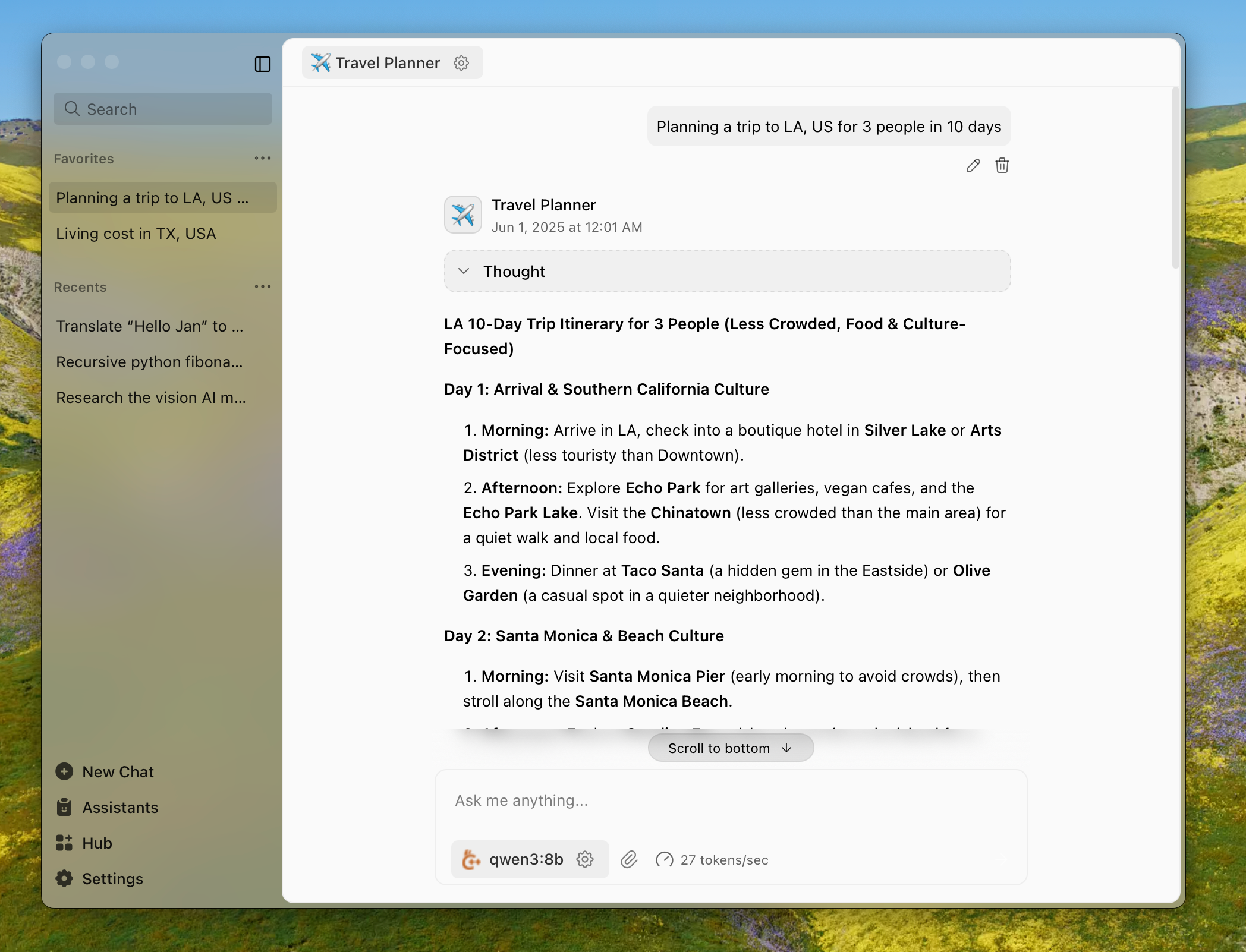
Jan is an AI assistant that can run 100% offline on your device. Download and run LLMs with full control and privacy.
Installation
The easiest way to get started is by downloading one of the following versions for your respective operating system:
| Platform | Stable | Nightly |
| Windows | jan.exe | jan.exe |
| macOS | jan.dmg | jan.dmg |
| Linux (deb) | jan.deb | jan.deb |
| Linux (AppImage) | jan.AppImage | jan.AppImage |
Download from jan.ai or GitHub Releases.
Features
- Local AI Models: Download and run LLMs (Llama, Gemma, Qwen, etc.) from HuggingFace
- Cloud Integration: Connect to OpenAI, Anthropic, Mistral, Groq, and others
- Custom Assistants: Create specialized AI assistants for your tasks
- OpenAI-Compatible API: Local server at
localhost:1337for other applications - Model Context Protocol: MCP integration for enhanced capabilities
- Privacy First: Everything runs locally when you want it to
Build from Source
For those who enjoy the scenic route:
Prerequisites
- Node.js ≥ 20.0.0
- Yarn ≥ 1.22.0
- Make ≥ 3.81
- Rust (for Tauri)
Run with Make
git clone https://github.com/menloresearch/jan
cd jan
make dev
This handles everything: installs dependencies, builds core components, and launches the app.
Available make targets:
make dev- Full development setup and launchmake build- Production buildmake test- Run tests and lintingmake clean- Delete everything and start fresh
Run with Mise (easier)
You can also run with mise, which is a bit easier as it ensures Node.js, Rust, and other dependency versions are automatically managed:
git clone https://github.com/menloresearch/jan
cd jan

# Install mise (if not already installed)
curl https://mise.run | sh

# Install tools and start development
mise install    # installs Node.js, Rust, and other tools
mise dev        # runs the full development setup
Available mise commands:
mise dev- Full development setup and launchmise build- Production buildmise test- Run tests and lintingmise clean- Delete everything and start freshmise tasks- List all available tasks
Manual Commands
yarn install
yarn build:tauri:plugin:api
yarn build:core
yarn build:extensions
yarn dev
System Requirements
Minimum specs for a decent experience:
- macOS: 13.6+ (8GB RAM for 3B models, 16GB for 7B, 32GB for 13B)
- Windows: 10+ with GPU support for NVIDIA/AMD/Intel Arc
- Linux: Most distributions work, GPU acceleration available
For detailed compatibility, check our installation guides.
Troubleshooting
If things go sideways:
- Check our troubleshooting docs
- Copy your error logs and system specs
- Ask for help in our Discord
#🆘|jan-helpchannel
Contributing
Contributions welcome. See CONTRIBUTING.md for the full spiel.
Links
- Documentation - The manual you should read
- API Reference - For the technically inclined
- Changelog - What we broke and fixed
- Discord - Where the community lives
Contact
- Bugs: GitHub Issues
- Business: hello@jan.ai
- Jobs: hr@jan.ai
- General Discussion: Discord
License
Apache 2.0 - Because sharing is caring.
Acknowledgements
Built on the shoulders of giants: