 a1af70f7a9
* feat: Enhance Llama.cpp backend management with persistence

This commit introduces significant improvements to how the Llama.cpp extension manages and updates its backend installations, focusing on user preference persistence and smarter auto-updates.

Key changes include:

* **Persistent Backend Type Preference:** The extension now stores the user's preferred backend type (e.g., `cuda`, `cpu`, `metal`) in `localStorage`. This ensures that even after updates or restarts, the system attempts to use the user's previously selected backend type, if available.
* **Intelligent Auto-Update:** The auto-update mechanism has been refined to prioritize updating to the **latest version of the *currently selected backend type*** rather than always defaulting to the "best available" backend (which might change). This respects user choice while keeping the chosen backend type up-to-date.
* **Improved Initial Installation/Configuration:** For fresh installations or cases where the `version_backend` setting is invalid, the system now intelligently determines and installs the best available backend, then persists its type.
* **Refined Old Backend Cleanup:** The `removeOldBackends` function has been renamed to `removeOldBackend` and modified to specifically clean up *older versions of the currently selected backend type*, preventing the accumulation of unnecessary files while preserving other backend types the user might switch to.
* **Robust Local Storage Handling:** New private methods (`getStoredBackendType`, `setStoredBackendType`, `clearStoredBackendType`) are introduced to safely interact with `localStorage`, including error handling for potential `localStorage` access issues.
* **Version Filtering Utility:** A new utility `findLatestVersionForBackend` helps in identifying the latest available version for a specific backend type from a list of supported backends.

These changes provide a more stable, user-friendly, and maintainable backend management experience for the Llama.cpp extension.

Fixes: #5883

* fix: cortex models migration should be done once

* feat: Optimize Llama.cpp backend preference storage and UI updates

This commit refines the Llama.cpp extension's backend management by:

* **Optimizing `localStorage` Writes:** The system now only writes the backend type preference to `localStorage` if the new value is different from the currently stored one. This reduces unnecessary `localStorage` operations.
* **Ensuring UI Consistency on Initial Setup:** When a fresh installation or an invalid backend configuration is detected, the UI settings are now explicitly updated to reflect the newly determined `effectiveBackendString`, ensuring the displayed setting matches the active configuration.

These changes improve performance by reducing redundant storage operations and enhance user experience by maintaining UI synchronization with the backend state.

* Revert "fix: provider settings should be refreshed on page load (#5887)"

This reverts commit ce6af62c7df4a7e7ea8c0896f307309d6bf38771.

* fix: add loader version backend llamacpp

* fix: wrong key name

* fix: model setting issues

* fix: virtual dom hub

* chore: cleanup

* chore: hide device ofload setting

---------

Co-authored-by: Louis <louis@jan.ai>
Co-authored-by: Faisal Amir <urmauur@gmail.com>


Jan - Local AI Assistant
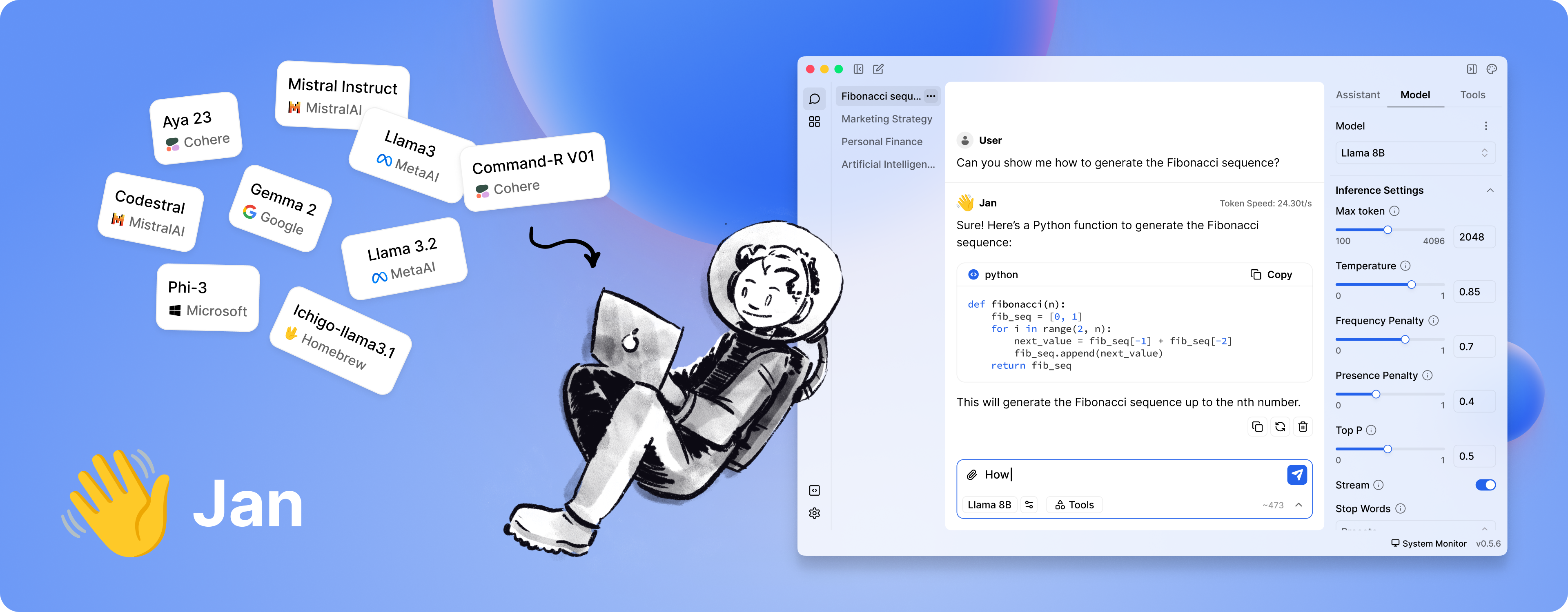





Getting Started - Docs - Changelog - Bug reports - Discord
Jan is a ChatGPT-alternative that runs 100% offline on your device. Our goal is to make it easy for a layperson to download and run LLMs and use AI with full control and privacy.
⚠️ Jan is in active development.
Installation
Because clicking a button is still the easiest way to get started:
| Platform | Stable | Beta | Nightly |
| Windows | jan.exe | jan.exe | jan.exe |
| macOS | jan.dmg | jan.dmg | jan.dmg |
| Linux (deb) | jan.deb | jan.deb | jan.deb |
| Linux (AppImage) | jan.AppImage | jan.AppImage | jan.AppImage |
Download from jan.ai or GitHub Releases.
Demo
Features
- Local AI Models: Download and run LLMs (Llama, Gemma, Qwen, etc.) from HuggingFace
- Cloud Integration: Connect to OpenAI, Anthropic, Mistral, Groq, and others
- Custom Assistants: Create specialized AI assistants for your tasks
- OpenAI-Compatible API: Local server at
localhost:1337for other applications - Model Context Protocol: MCP integration for enhanced capabilities
- Privacy First: Everything runs locally when you want it to
Build from Source
For those who enjoy the scenic route:
Prerequisites
- Node.js ≥ 20.0.0
- Yarn ≥ 1.22.0
- Make ≥ 3.81
- Rust (for Tauri)
Run with Make
git clone https://github.com/menloresearch/jan
cd jan
make dev
This handles everything: installs dependencies, builds core components, and launches the app.
Available make targets:
make dev- Full development setup and launchmake build- Production buildmake test- Run tests and lintingmake clean- Delete everything and start fresh
Run with Mise (easier)
You can also run with mise, which is a bit easier as it ensures Node.js, Rust, and other dependency versions are automatically managed:
git clone https://github.com/menloresearch/jan
cd jan

# Install mise (if not already installed)
curl https://mise.run | sh

# Install tools and start development
mise install    # installs Node.js, Rust, and other tools
mise dev        # runs the full development setup
Available mise commands:
mise dev- Full development setup and launchmise build- Production buildmise test- Run tests and lintingmise clean- Delete everything and start freshmise tasks- List all available tasks
Manual Commands
yarn install
yarn build:core
yarn build:extensions
yarn dev
System Requirements
Minimum specs for a decent experience:
- macOS: 13.6+ (8GB RAM for 3B models, 16GB for 7B, 32GB for 13B)
- Windows: 10+ with GPU support for NVIDIA/AMD/Intel Arc
- Linux: Most distributions work, GPU acceleration available
For detailed compatibility, check our installation guides.
Troubleshooting
When things go sideways (they will):
- Check our troubleshooting docs
- Copy your error logs and system specs
- Ask for help in our Discord
#🆘|jan-helpchannel
We keep logs for 24 hours, so don't procrastinate on reporting issues.
Contributing
Contributions welcome. See CONTRIBUTING.md for the full spiel.
Links
- Documentation - The manual you should read
- API Reference - For the technically inclined
- Changelog - What we broke and fixed
- Discord - Where the community lives
Contact
- Bugs: GitHub Issues
- Business: hello@jan.ai
- Jobs: hr@jan.ai
- General Discussion: Discord
Trust & Safety
Friendly reminder: We're not trying to scam you.
- We won't ask for personal information
- Jan is completely free (no premium version exists)
- We don't have a cryptocurrency or ICO
- We're bootstrapped and not seeking your investment (yet)
License
Apache 2.0 - Because sharing is caring.
Acknowledgements
Built on the shoulders of giants: