
8.1 KiB
Jan - Turn your computer into an AI computer





Getting Started - Docs - Changelog - Bug reports - Discord
[!Warning] >Jan is currently in Development: Expect breaking changes and bugs!
Jan is an open-source ChatGPT alternative that runs 100% offline on your computer.
Jan runs on any hardware. From PCs to multi-GPU clusters, Jan supports universal architectures:
- NVIDIA GPUs (fast)
- Apple M-series (fast)
- Apple Intel
- Linux Debian
- Windows x64
Download
| Version Type | Windows | MacOS | Linux | ||
| Stable (Recommended) |
 jan.exe
|
 Intel
Intel
|
M1/M2/M3/M4
|
 jan.deb
|
jan.AppImage
|
| Experimental (Nightly Build) |
jan.exe
|
Intel
|
M1/M2/M3/M4
|
jan.deb
|
jan.AppImage
|
Download the latest version of Jan at https://jan.ai/ or visit the GitHub Releases to download any previous release.
Demo
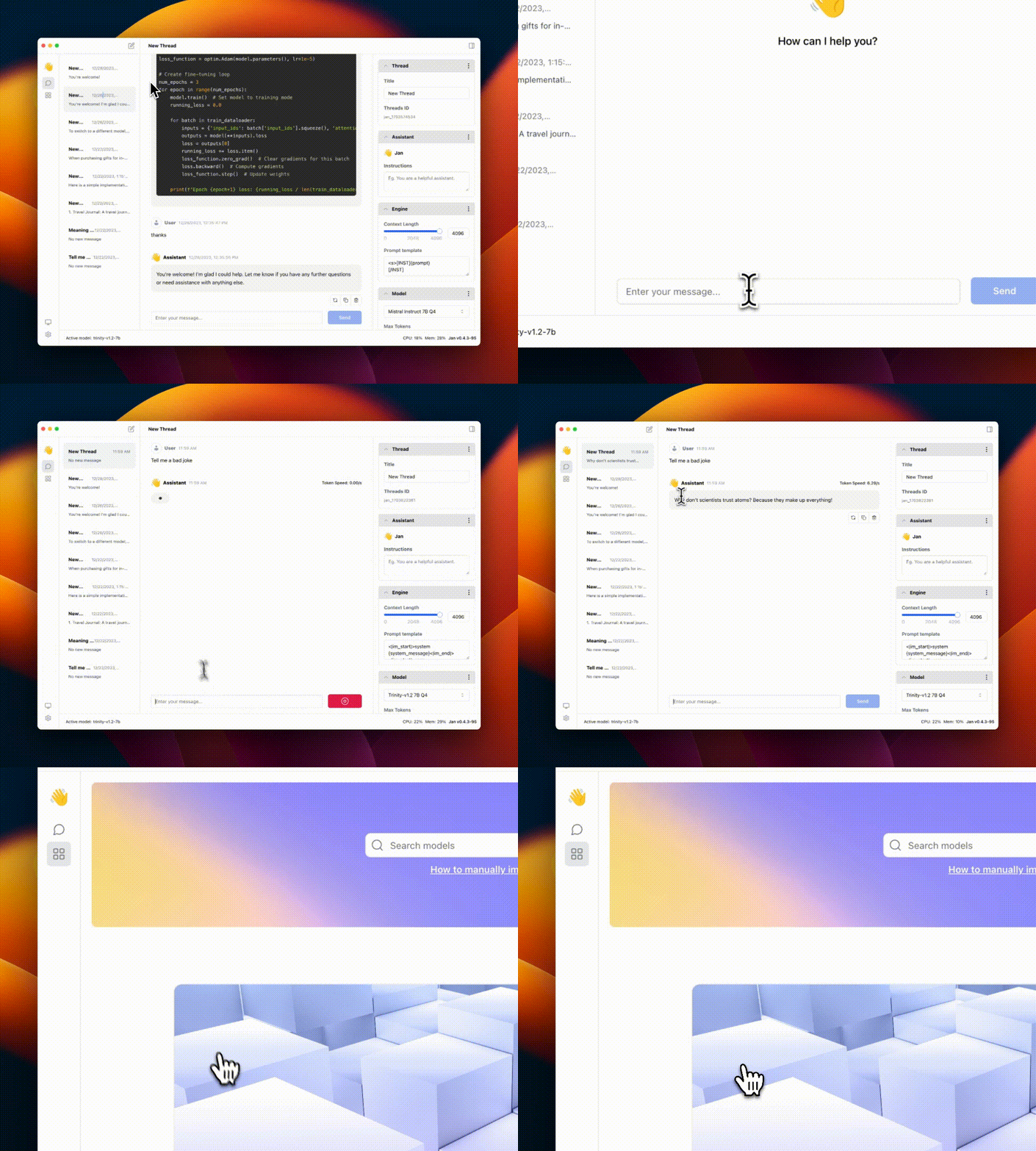
Realtime Video: Jan v0.4.3-nightly on a Mac M1, 16GB Sonoma 14
Quicklinks
Jan
Nitro
Nitro is a high-efficiency C++ inference engine for edge computing. It is lightweight and embeddable, and can be used on its own within your own projects.
Troubleshooting
As Jan is in development mode, you might get stuck on a broken build.
To reset your installation:
-
Use the following commands to remove any dangling backend processes:
ps aux | grep nitroLook for processes like "nitro" and "nitro_arm_64," and kill them one by one with:
kill -9 <PID> -
Remove Jan from your Applications folder and Cache folder
make cleanThis will remove all build artifacts and cached files:
- Delete Jan extension from your
~/jan/extensionsfolder - Delete all
node_modulesin current folder - Clear Application cache in
~/Library/Caches/jan
- Delete Jan extension from your
Requirements for running Jan
- MacOS: 13 or higher
- Windows:
- Windows 10 or higher
- To enable GPU support:
- Nvidia GPU with CUDA Toolkit 11.7 or higher
- Nvidia driver 470.63.01 or higher
- Linux:
- glibc 2.27 or higher (check with
ldd --version) - gcc 11, g++ 11, cpp 11 or higher, refer to this link for more information
- To enable GPU support:
- Nvidia GPU with CUDA Toolkit 11.7 or higher
- Nvidia driver 470.63.01 or higher
- glibc 2.27 or higher (check with
Contributing
Contributions are welcome! Please read the CONTRIBUTING.md file
Pre-requisites
- node >= 20.0.0
- yarn >= 1.22.0
- make >= 3.81
Instructions
-
Clone the repository and prepare:
git clone https://github.com/janhq/jan cd jan git checkout -b DESIRED_BRANCH -
Run development and use Jan Desktop
make dev
This will start the development server and open the desktop app.
-
(Optional) Run the API server without frontend
yarn dev:server
For production build
# Do steps 1 and 2 in the previous section
# Build the app
make build
This will build the app MacOS m1/m2 for production (with code signing already done) and put the result in dist folder.
Acknowledgements
Jan builds on top of other open-source projects:
Contact
- Bugs & requests: file a GitHub ticket
- For discussion: join our Discord here
- For business inquiries: email hello@jan.ai
- For jobs: please email hr@jan.ai
Trust & Safety
Beware of scams.
- We will never ask you for personal info
- We are a free product; there's no paid version
- We don't have a token or ICO
- We are not actively fundraising or seeking donations
License
Jan is free and open source, under the AGPLv3 license.