
3.4 KiB
| sidebar_position | title |
|---|---|
| 1 | Build an app |
Build and publish an app
Apps let you extend Obsidian with your own features to create a custom note-taking experience. In this tutorial, you'll compile a sample plugin from source code and load it into Obsidian.
What you'll learn
After you've completed this tutorial, you'll be able to:
- Configure an environment for developing Jan apps.
- Compile a app from source code.
- Reload a app after making changes to it.
Prerequisites
To complete this tutorial, you'll need:
- Git installed on your local machine.
- A local development environment for Node.js.
- A code editor, such as Visual Studio Code.
Before you start
When developing apps, one mistake can lead to unintended changes to your app. Please backup the data.
Development
Step 1: Download the sample plugin
- Go to Jan sample app
- Select
Use this template buttonat the top of the repository - Select
Create a new repository - Select an owner and name for your new repository
- Click
Create repository - Clone your new repository
- Start developing locally
Step 2: Initial Setup
After you've cloned the repository to your local machine or codespace, you'll need to perform some initial setup steps before you can develop your plugin.
Note
You'll need to have a reasonably modern version of Node.js handy. If you are using a version manager like
nodenvornvm, you can runnodenv installin the root of your repository to install the version specified inpackage.json. Otherwise, 20.x or later should work!
-
🛠️ Install the dependencies
npm install -
🏗️ Package the TypeScript for distribution
npm run bundle -
✅ Check your artifact
There will be a tgz file in your plugin directory now
Step 3: Update the Plugin Metadata
The package.json file defines metadata about your plugin, such as
plugin name, main entry, description and version.
When you copy this repository, update package.json with the name, description for your plugin.
Step 4: Update the Plugin Code
The src/ directory is the heart of your plugin! This contains the
source code that will be run when your plugin extension functions are invoked. You can replace the
contents of this directory with your own code.
There are a few things to keep in mind when writing your plugin code:
-
Most Jan Plugin Extension functions are processed asynchronously. In
index.ts, you will see that the extension function will return aPromise<any>.import { core } from "@janhq/core"; function onStart(): Promise<any> { return core.invokePluginFunc(MODULE_PATH, "run", 0); }For more information about the Jan Plugin Core module, see the documentation.
So, what are you waiting for? Go ahead and start customizing your plugin!
App installation
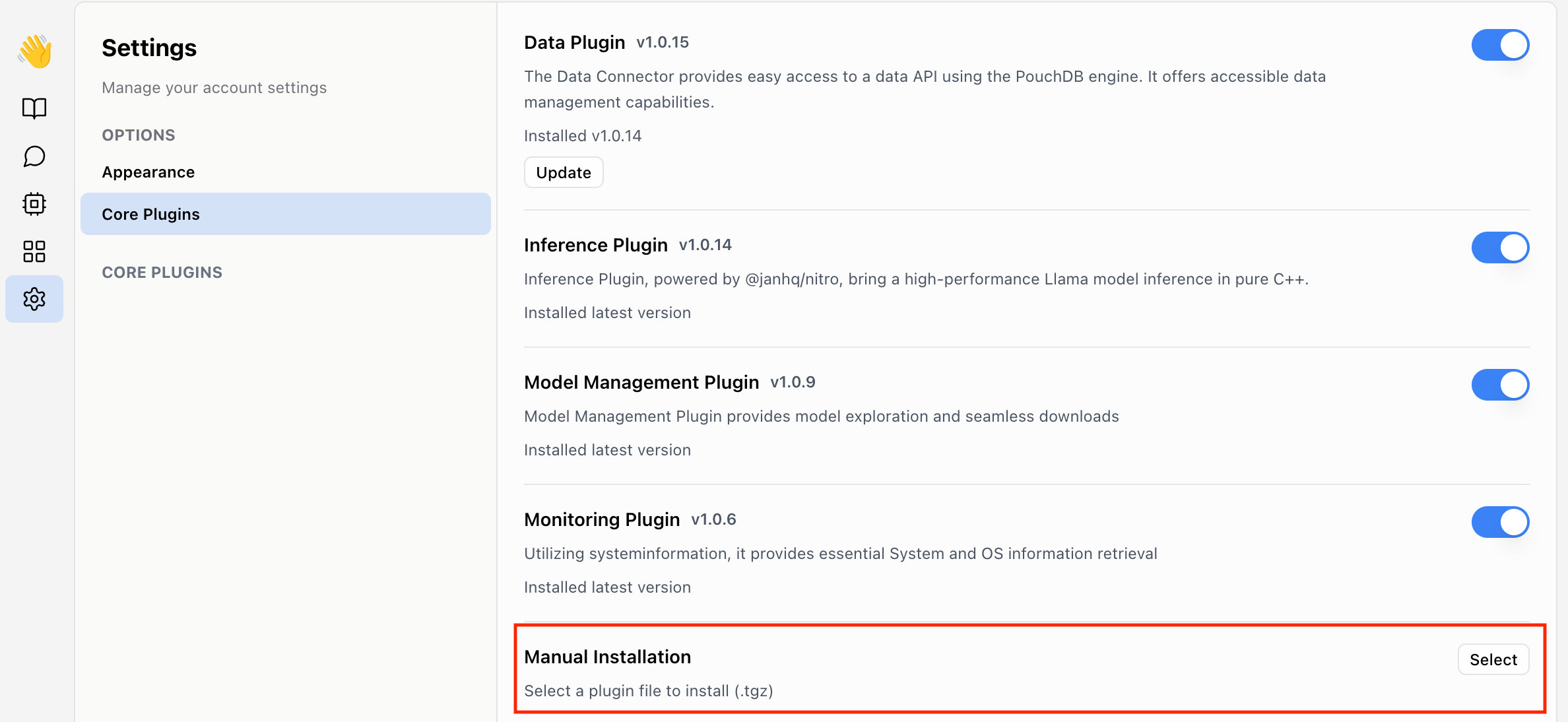
Selectthe built*.tar.gzfile- The App will reload after new app get installed
App uninstallation
To be updated
App update
To be updated